
%20(3000%20x%20800%20px)%20(3).avif)
%20(3000%20x%20800%20px)%20(2).avif)


In April 2026, new ADA Title II regulations take effect that will significantly impact how schools and universities, along with all state and local government bodies, handle digital content and media.
The U.S. Department of Justice has updated Title II of the Americans with Disabilities Act to explicitly require state and local government entities — including public educational institutions — to make their web content accessible. For the first time, the ADA has adopted a specific technical standard: WCAG 2.1 Level AA.
The deadline is firm:
- April 24, 2026 for entities serving 50,000+ people
- April 26, 2027 for smaller entities
IT teams are running accessibility audits. Compliance officers are remediating PDFs. Web developers are fixing alt text and heading structures. Everyone's busy.
But there's a category most institutions are ignoring: video and audio.
Lecture recordings. Training modules. Course content. Webinars. Orientation materials. Thousands of hours sitting across your LMS, YouTube channel, department drives, and faculty hard drives — mostly untouched, mostly non-compliant.
All publicly available and actively used videos and audio that form part of a program, service, or activity produced or used by Title II institutions must be accessible.. This isn't optional. This is where the lawsuits will come from.
The Blind Spot: Audio Description
In April 2024, the DOJ published a final rule updating ADA Title II to address web and mobile app accessibility. Under this rule, all state and local government programs, services, and activities offered online must conform to WCAG 2.1 Level AA – a widely accepted international standard for web accessibility.
Most universities know about captions by now. After Harvard and MIT were sued under the ADA for not providing captions on their online videos, captioning became standard practice — at least for public-facing content.
But captions aren't enough anymore.
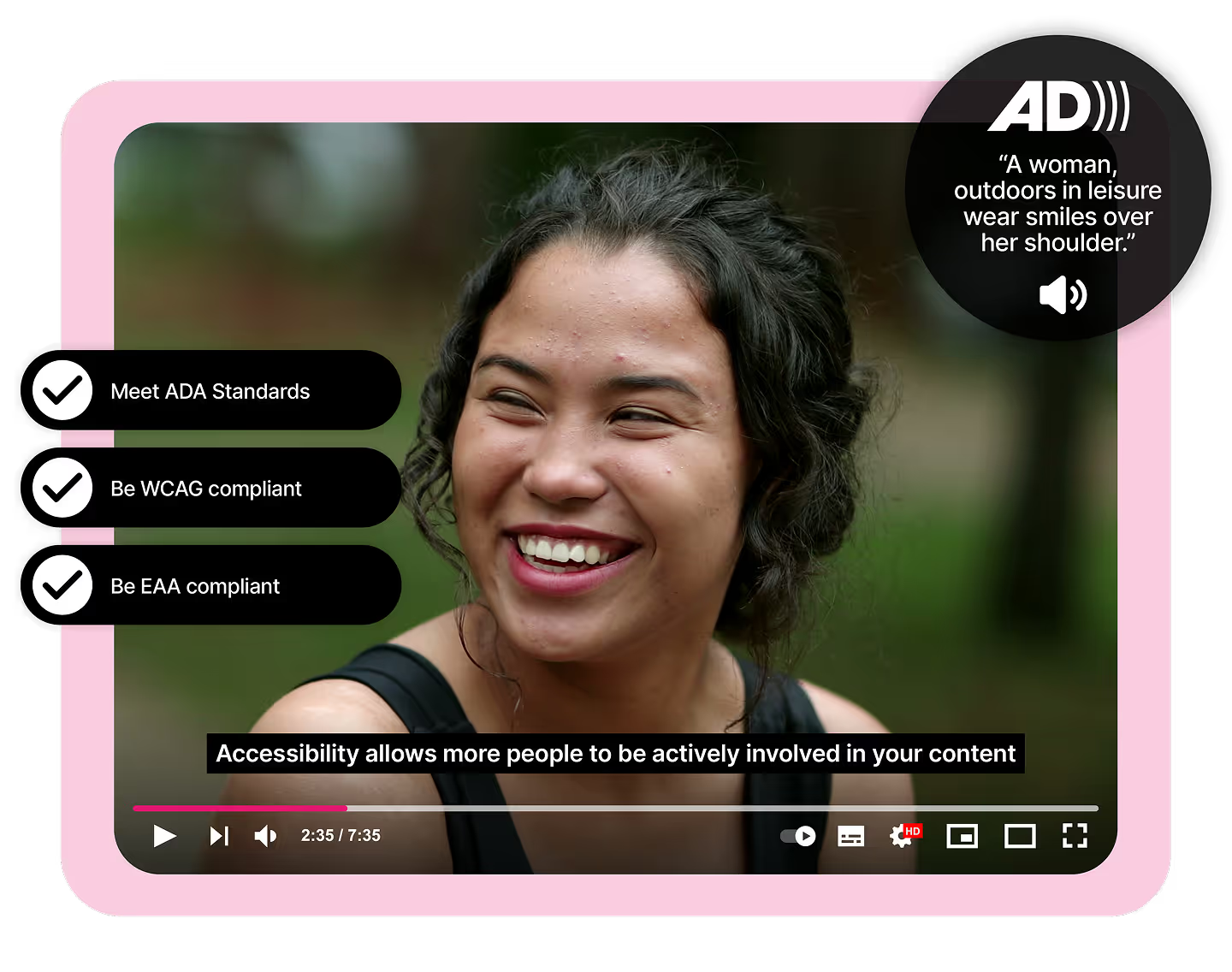
WCAG 2.1 Level AA requires audio description for pre-recorded video. If your video contains important visual information not conveyed in the audio track — slides, diagrams, demonstrations, on-screen text — an audio description track is required. This ensures that blind or low-vision users can understand what's happening on screen.
For example, if a lecture video shows a slide with text or a demonstration, an audio description would speak that text or describe the demonstration.
Audio description is one of the most commonly overlooked areas of compliance in education.
A recent survey found that only 23% of educators are adding audio descriptions to their videos. The other 77%? Non-compliant under the new rules.
And it's not just audio description. If you can't provide an AD track, you must provide a descriptive transcript — a text document combining dialogue plus descriptions of key visuals. This serves users who may not be able to watch or hear the video.
Captions, transcripts, and audio descriptions are required to provide equal opportunity in programs and services. Even internal content like training videos for staff or instructional materials must meet these standards.
This is the gap the DOJ will target.
What Is Actually Required?
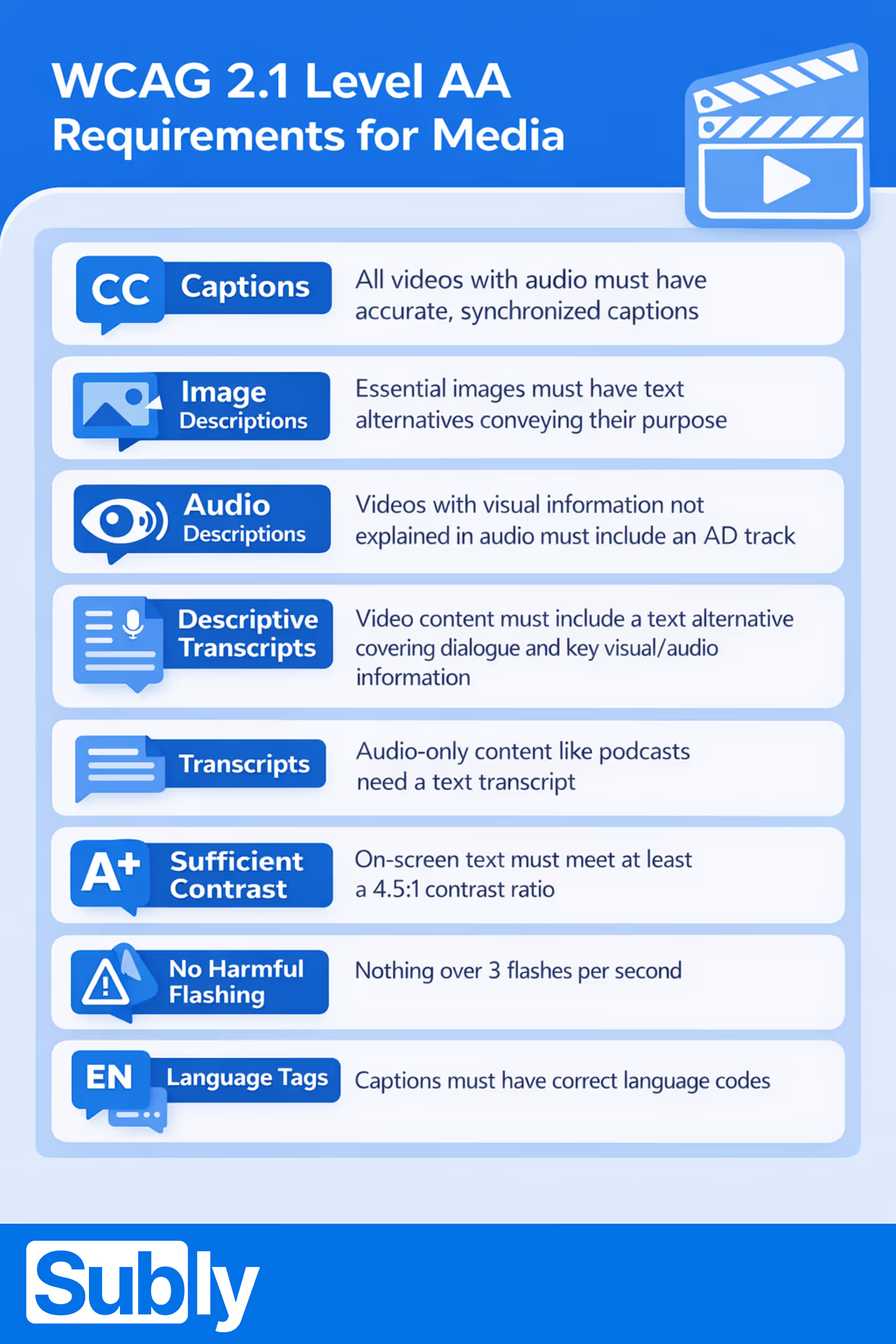
Under ADA Title II, all video and audio content must meet WCAG 2.1 Level AA. For media, that means:
- Captions: all pre-recorded videos with audio must have accurate, synchronized captions (WCAG 1.2.2). Live streaming should have real-time captions where possible.
- Image descriptions: essential images and visual information must have text alternatives that convey their purpose or meaning (WCAG 1.1.1).
- Audio descriptions: videos with visual information not explained in audio must include an AD track (WCAG 1.2.5).
- Descriptive transcripts: video content must include a text alternative covering spoken dialogue, key visual information, and non-speech audio (WCAG 1.2.3).
- Transcripts: audio-only content like podcasts need a text transcript (WCAG 1.2.1).
- Sufficient contrast: on-screen text and captions must meet 4.5:1 contrast ratio (WCAG 1.4.3).
- No harmful flashing: nothing over 3 flashes per second (WCAG 2.3.1).
- Language tags: caption files must have correct language codes and mark language changes (WCAG 3.1.2).
This isn't a checklist you run once. After the deadline, institutions must maintain ongoing conformance for all new and updated content.
→ See the full requirements breakdown
The Scale Problem
Implementing these accessibility requirements across large volumes of video and audio content can be overwhelming, especially for schools and universities managing years of legacy media across multiple platforms and departments.
You don't have 50 videos. You have 5,000. Maybe 50,000.
They're scattered across:
- Learning management systems (Canvas, Blackboard, Moodle)
- YouTube and Vimeo channels
- Department SharePoint folders and Google Drives
- Faculty hard drives and personal accounts
- Third-party platforms and vendors
No one knows what exists, let alone what's compliant.
Most institutions quickly discover that accessibility cannot be handled through isolated tools or one-off fixes. Traditional providers like 3Play Media or Rev offer captioning services — but they don't automatically check whether your video needs audio description. They don't scan for flashing content or verify contrast ratios. They focus on what you specifically request.
That piecemeal approach leads to gaps. You might get a video back with perfect captions but no one checked that the professor's slideshow has readable contrast, or that the embedded animation doesn't exceed flash thresholds.
Manual remediation at this scale? Impossible before April.
The scale and legal risk mean accessibility needs to be treated as an ongoing operational capability, not a manual task.
The Consequences of Getting It Wrong
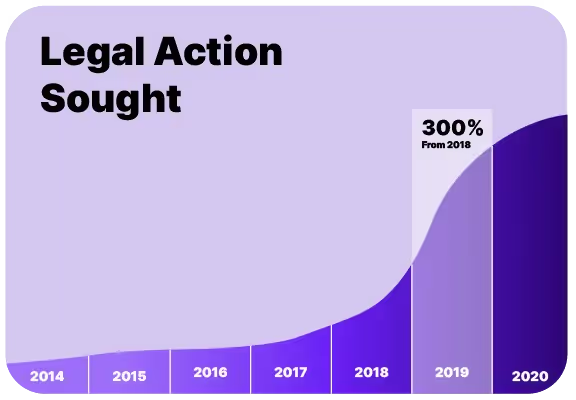
What happens if you ignore this?
Lawsuits under ADA accessibility laws have become increasingly common, targeting organizations from universities to major corporations. The settlements with Harvard and MIT forced both institutions to caption thousands of videos — and made them a public benchmark for accessibility failures.
Non-compliance can carry steep penalties — fines, procurement disqualification, and the high costs of retrofitting accessibility after the fact.
Beyond legal risk, there's reputational damage. Inaccessible content signals that your institution doesn't prioritize equal access. In an era where DEI and accessibility are front-and-center, that's a message no university wants to send.
And there's the human cost: when media isn't accessible, students with disabilities are shut out. They can't watch the same lectures, access the same training, or participate fully in campus life.
The good news? Compliance doesn't have to be complex.
See more ADA compliance case studies →
The Solution
For many institutions, the most effective approach is to use a dedicated video accessibility platform that can both assess compliance and fix issues in one go.
Rather than stitching together separate tools for captioning, transcription, audio description, accessibility audits, and quality assurance, these platforms provide a single system for managing accessibility across the entire media lifecycle.
That means:
- Audit — scan your library, identify what's non-compliant
- Fix — generate captions, descriptive transcripts, audio descriptions
- Verify — automated WCAG checks before publishing
- Report — auditable compliance documentation
This end-to-end model is increasingly becoming the standard approach for universities because it replaces fragmented workflows with a single, auditable compliance process. It allows institutions to identify risk across large media libraries, fix issues directly, and maintain consistent reporting over time.
See how one university achieved ADA Title II compliance →
Subly combines automated compliance checking with built-in tools to resolve every major WCAG media requirement — captions, audio description, descriptive transcripts, contrast checks, flash detection, language tagging, and caption readability controls.
One platform. Full WCAG coverage. Audit and fix in one place.
The deadline is April 24, 2026. Are you ready?
You can't remediate thousands of videos manually. You can't rely on captions alone. And you can't afford to find out you're non-compliant after a lawsuit.
Start now:


